Why a 30-Day Compliance Sprint Can Improve Security Readiness
30-day security compliance is achievable for many organizations, especially as a focused readiness effort tied to an audit, customer requirement, or internal security milestone.
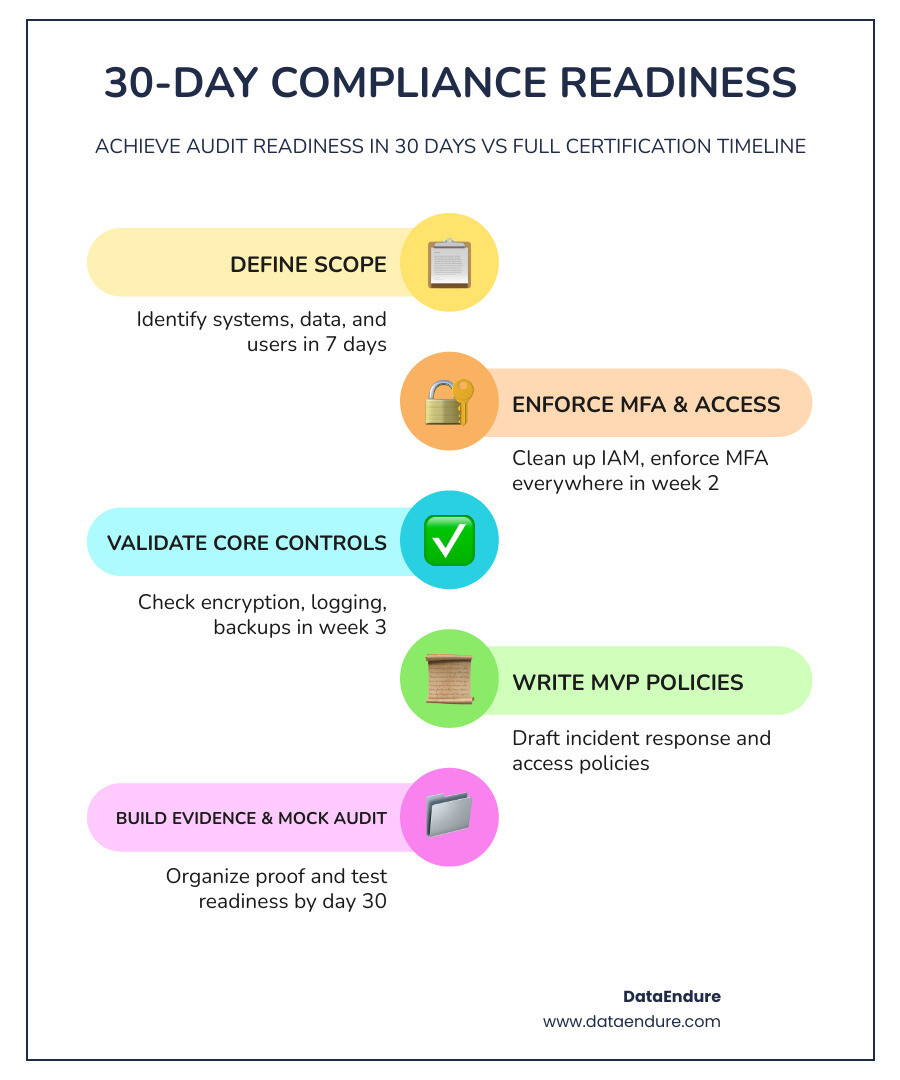
Here’s what you can realistically accomplish in 30 days:
- Define your scope — identify which systems, data, and users are in play
- Enforce MFA and clean up access — one of the highest-impact quick wins available
- Validate core controls — encryption, logging, backups, and endpoint coverage
- Write minimum viable policies — incident response, acceptable use, and access control
- Build an evidence library — timestamped, organized, and ready for an auditor or customer questionnaire
- Run a mock walkthrough — test your readiness before anyone external does
This gets you to compliance readiness — not necessarily a full certification like SOC 2 Type II, which requires a 3–12 month observation window. But readiness is often what’s needed to support a deal cycle, respond to a procurement team, or demonstrate due diligence after a security review.
Many enterprise buyers ask vendors to demonstrate compliance alignment before approving new software purchases. If you’re a mid-sized organization in a regulated industry — healthcare, finance, SaaS — buyers and partners may already be asking questions you need to answer.
The challenge most IT leaders face isn’t a lack of intention. It’s knowing where to start and how to move quickly without creating a compliance program that loses momentum once the sprint ends.
This guide gives you a practical, week-by-week path through the first 30 days — covering identity and access, technical controls, documentation, and what to do differently if you’re operating under HIPAA or another regulated framework.
What 30 day security compliance really means
When we talk about 30 day security compliance, we are really talking about “Audit Readiness.” It is the process of rapidly aligning your technical environment and documentation with a specific framework so that you can show that controls are defined and operating as intended.
In May 2026, the speed of business doesn’t allow for year-long preparation cycles in every situation. Enterprise buyers are under pressure to secure their supply chains, and that pressure often extends to vendors. If your organization is delayed in procurement because you can’t answer a security questionnaire, that is both a technical and business issue.
Achieving readiness in a month requires moving away from ad hoc security toward structured IT Governance Risk and Compliance. It means setting up point-in-time controls—like ensuring every user has Multi-Factor Authentication (MFA) enabled today—while building the evidence processes to show those controls remain active. In practice, the compliance ripple effect means a partner’s requirements can influence your own roadmap.
Readiness in 30 days vs SOC 2 Type II over time
It is vital to distinguish between achieving readiness and receiving a final certificate. For a framework like SOC 2, there are two levels:
- Type I: This is a “point-in-time” audit. It examines whether your controls are designed correctly as of a specific date. With modern automation, some teams can reach Type I readiness in as little as 24 hours to 4 weeks.
- Type II: This measures “operating effectiveness” over a period of time, usually 3 to 12 months. You cannot complete a Type II in a short sprint because the auditor needs to observe your controls working consistently throughout that observation window.
Your 30-day goal is to address the Type I-style requirements. This helps demonstrate to customers and auditors that your program is structured and that you are prepared for the longer observation period. You can find more details on this transition in this SOC 2 Readiness Roadmap.
The frameworks you can align to in the first month
Most modern frameworks share a common core of controls. Whether you are looking at SOC 2, HIPAA, ISO 27001, or NIST, the foundational requirements—like identity management, encryption, and logging—are often similar. By building a unified baseline, you can satisfy multiple requirements at once. This is especially important for companies navigating California’s privacy laws or those wondering why US-based companies care about GDPR.
The first 7 days: scope, ownership, and executive backing

The first week is about drawing clear boundaries. If you try to secure everything at once, progress will be difficult by Day 30. Start with a “Scope Memo”—a one-page document that defines exactly which systems, data flows, and system boundaries are included in this sprint.
Why executive sponsorship and one accountable owner speed everything up
A 30-day sprint will often require operational changes, such as stricter password policies or restricted access to legacy systems. Without an executive sponsor to help resolve blockers, the project can lose momentum.
We recommend appointing one “Point Person” or Compliance Lead. This individual shouldn’t necessarily do all the work, but they must own the timeline. Every control needs a primary owner and a backup. As the saying goes, “When everyone is responsible, no one is.” This simpler approach to compliance-led security keeps accountability clear from Day 1.
How a new security lead should structure the first 30 days
If you are a new CISO or IT Director, your first 30 days are often a discovery phase. You’ve inherited an existing strategy, and you need to identify the gaps before you can address them. A structured CISO Assessment can help establish a baseline view of the landscape.
Your first week should include:
- A Listening Tour: Meet with department heads to find “Shadow IT”—those SaaS apps they bought on a credit card that aren’t behind your SSO.
- Quick Win Identification: Look for straightforward improvements like disabling inactive accounts (anything over 90 days) or enforcing MFA on the VPN.
- Communication Cadence: Establish a weekly briefing for the board or executive team to show progress and maintain momentum. You can follow a structured 30-60-90 Day Plan to build long-term credibility.
Build the minimum viable evidence system before remediation starts
Don’t wait until Day 29 to start collecting proof. Auditors typically expect evidence to be current and dated. We recommend setting up a centralized repository (like a secure folder or a GRC tool) with a strict naming convention: [ControlID]-[ArtifactType]-[Date]. Every screenshot should have a visible system clock. If you’re showing an access log, ensure it captures the headers. Starting this on Day 1 helps avoid an evidence scramble at the end of the month.
30 day security compliance quick wins: identity, access, and core controls
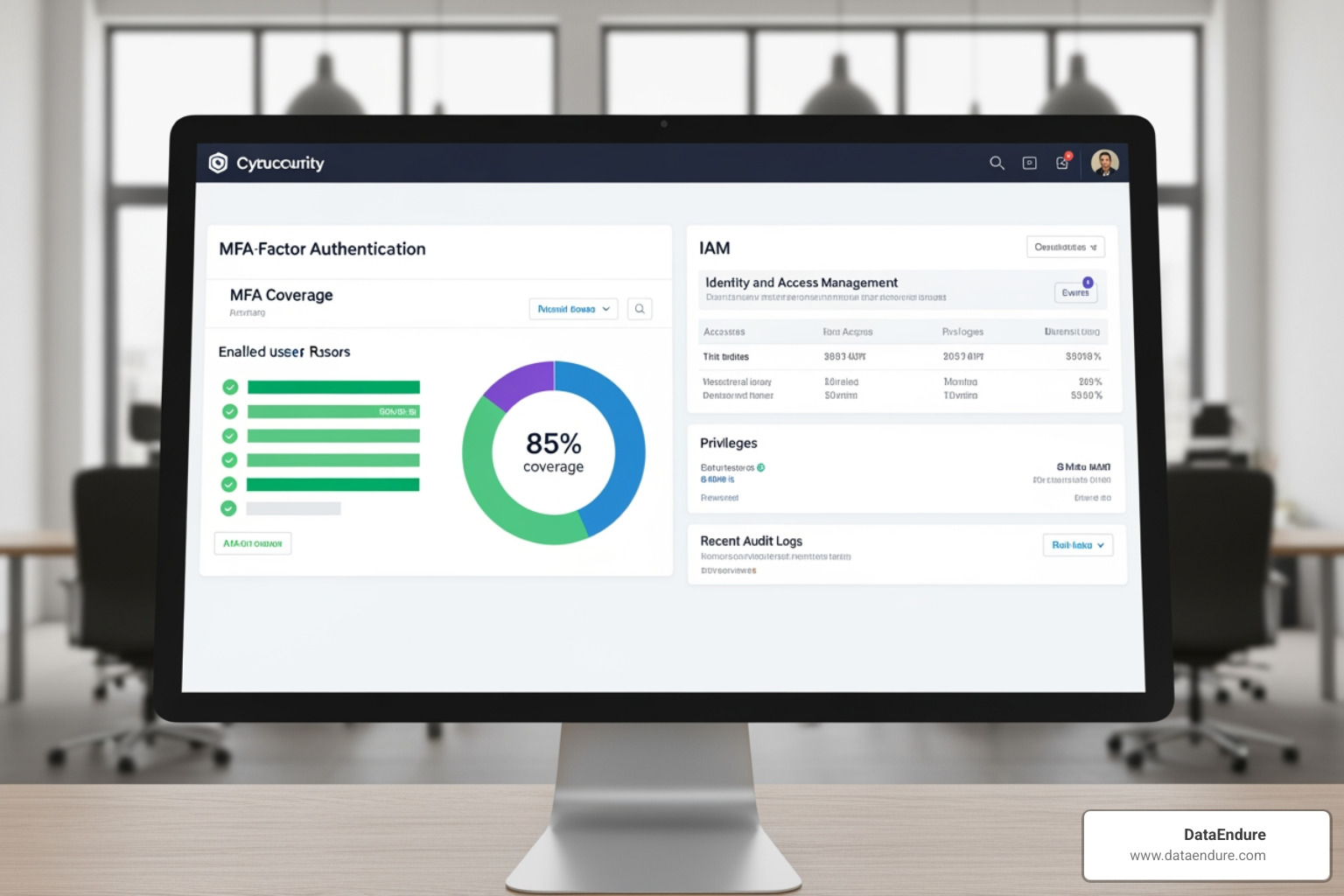
If identity is the new perimeter, then Identity and Access Management (IAM) is often one of the fastest paths to 30 day security compliance. It is an area where many organizations can make meaningful progress without major infrastructure change.
Why IAM is the fastest path to 30 day security compliance
Credential misuse remains a common risk in cybersecurity. By tightening who has access to what, you support the “Least Privilege” requirement found in almost every framework.
- Reconcile HR and IT: Compare your active employee list against your Active Directory or Okta users. You may find “orphaned accounts” from employees who left months ago.
- Privileged Access Removal: Most users don’t need local admin rights or global admin roles. Move toward “Just-in-Time” access where permissions are elevated only when needed and for a limited time.
- Zero Trust Principles: Treat every access request as requiring verification. Confirm the identity, the device health, and the context before granting entry.
The must-validate controls in week two and week three
By the middle of the month, your focus shifts to the “Big Four” technical controls:
- MFA Everywhere: Not just for email, but for your VPN, EHR, cloud consoles, and any remote admin interface.
- Encryption Standards: Validate that data is encrypted at rest (AES-256) and in transit (TLS 1.2 or higher).
- Endpoint Coverage: Ensure your laptops and servers have Endpoint Detection and Response (EDR) agents installed where required by policy.
- Logging and Retention: Establish centralized logging with retention aligned to your framework and business requirements. Logs are often important evidence for auditors.
Regarding vulnerabilities, a common compliance SLA is to fix Critical vulnerabilities within 30 days and High vulnerabilities within 90 days.
Common technical blockers that derail fast compliance
We often see 30-day initiatives slowed by stale evidence or shadow IT. If an auditor asks for a screenshot of your firewall config and you provide one from six months ago, it may not be accepted. Other blockers include:
- Shared Admin Accounts: “Admin1” or “Support” accounts with shared passwords make it difficult to track individual accountability.
- Broken Backups: Having a backup is not the same as validating recovery. If you haven’t performed a timed restore test this month, your backup control is still unvalidated.
- Tool Sprawl: Having multiple security tools that don’t talk to each other can create blind spots and alert fatigue.
Build the 30-day checklist that balances remediation with documentation
A successful sprint balances “doing the work” (remediation) with “writing about the work” (documentation). Use this week-by-week plan to stay on track.
| Week | Technical Remediation | Documentation Deliverables |
|---|---|---|
| Week 1 | Asset discovery & external scans | Scope Memo & Risk Register |
| Week 2 | MFA rollout & admin cleanup | Access Control & Password Policies |
| Week 3 | Encryption & logging config | Incident Response & Acceptable Use Policies |
| Week 4 | Restore tests & vulnerability fixes | Evidence Library & Stakeholder Briefing |
Week 1: scope, inventory, and gap analysis
Start by identifying where your sensitive data lives. If you’re in healthcare, map your ePHI (electronic Protected Health Information) flows. Use external scanning tools to find internet-facing services you might have forgotten about. This “Gap Analysis” will give you a list of “Red Items” that need immediate attention.
Week 2: fix access and harden the perimeter
This is the “Zero Trust” week. Beyond MFA, look at device health. Should a personal, unpatched laptop be allowed to access your production database? Probably not. Implement DNS-level protection and ensure your cloud environments are segmented (Production should never talk to Development).
Week 3: write policies and collect proof
Policies should be “minimum viable”—meaning they are accurate and followed. Two pages of a policy that employees actually read are better than twenty pages of a template that no one looks at. Collect your proof now: screenshots of your MFA settings, logs of your last three access changes, and records of background checks for new hires.
Week 4: test, review, and prep for the auditor or customer
The final week is for the “Mock Audit.” Have someone who wasn’t involved in the preparation try to find a specific piece of evidence in under two minutes. If they can’t find it, the auditor won’t either. Conduct a tabletop exercise for your Incident Response plan—simulate a ransomware attack and see if everyone knows their role. You can use this 90-Day Audit Checklist to refine your final review.
Healthcare and regulated teams: adapting the 30-day sprint for HIPAA
Healthcare organizations face unique challenges. Compliance isn’t just about data; it’s also closely tied to continuity of care and operational resilience. Under HIPAA, the “Minimum Necessary” rule applies—users should only have access to the PHI required to do their jobs.
A practical HIPAA-focused 30 day security compliance plan
For a healthcare-specific sprint, some teams use a 21-Day Plan for HIPAA Compliance as a baseline. Key actions include:
- PHI Inventory: Where is patient data stored? (EHR, local drives, email?)
- Business Associate Agreements (BAAs): Ensure every vendor touching PHI has signed a BAA.
- Device Isolation: Segment biomedical devices (like X-ray machines) from the guest Wi-Fi.
- Micro-training: Conduct 10-minute “bite-sized” training sessions for clinical staff on how to spot phishing.
Where healthcare teams should spend time first
Ransomware is a major consideration for clinical operations. Focus on resilience by ensuring you have offline, immutable backups. Also, remember the 60-day notification rule: HIPAA requires you to notify affected individuals of a breach without unreasonable delay, and no later than 60 days. A 30-day sprint can help ensure your Managed Compliance program is structured to detect and respond within required legal windows.
From sprint to system: turning 30-day readiness into continuous compliance
The biggest mistake you can make is treating compliance as a one-time event. Once Day 30 passes, you should transition to a “Continuous Compliance” model.
How automation helps small teams stay audit-ready
You don’t need a massive team if you use the right processes and tools. Automated evidence collection platforms can connect to your cloud providers and SaaS apps via API to pull evidence automatically. This reduces manual work and helps keep your evidence library current. This is a core part of why your GDPR risk management approach matters—it’s about long-term sustainability.
What happens after day 30
After the sprint, you move into the “Observation Period” for your SOC 2 Type II. This is where you maintain the habits you built:
- Quarterly Access Reviews: Every three months, verify that users still need the permissions they have.
- Monthly Vulnerability Scans: Keep an eye on new threats.
- Annual Risk Assessments: Re-evaluate your threat landscape every year.
This ongoing rigor is often what’s required for Cyber Insurance Readiness. It can also help organizations respond to external pressures reshaping security.
Frequently Asked Questions about 30 day security compliance
Can you actually achieve 30 day security compliance?
Yes, for “Readiness” or a SOC 2 Type I audit. It requires a limited scope and a high degree of focus. Full Type II certification still requires a longer observation window.
What is the single biggest quick win in a 30-day compliance sprint?
Enforcing Multi-Factor Authentication (MFA) across 100% of your environment. It is the highest-impact control for stopping breaches and is a requirement for almost every framework.
What usually causes a 30-day compliance effort to fail?
A lack of executive support and “Shadow IT.” If the leadership doesn’t back the changes, or if the IT team doesn’t know about half the apps being used, the compliance program will have gaps that auditors will find.
Conclusion
A focused 30-day compliance effort can be a practical way to improve security readiness, clarify ownership, and organize evidence for customers, auditors, or internal stakeholders.
The most effective programs do not treat compliance as a check-the-box exercise. Instead, they use it to strengthen core controls, reduce ambiguity, and build repeatable processes over time.
Whether your goal is audit readiness, procurement support, or a stronger operational baseline, a 30-day sprint can help create momentum. The key is to keep the scope realistic, document what you implement, and carry those habits forward after the initial deadline.