How to spot a DocuSign phishing email before you click
To spot a DocuSign phishing email, start with the request itself. If you did not expect a document, check the full sender address and preview links without clicking. Do not scan a QR code, download a file, or call a number in the message. Instead, contact the sender through a number you already trust. You can also visit docusign.com directly and use Access Documents with the email’s security code.
For businesses, the challenge is that a fraudulent request can arrive through a real DocuSign account. A familiar logo or legitimate sending domain is not enough to confirm that the document or sender is trustworthy. The checks above help employees pause before a fake invoice, signing request, or billing alert leads to exposed data or a fraudulent payment.
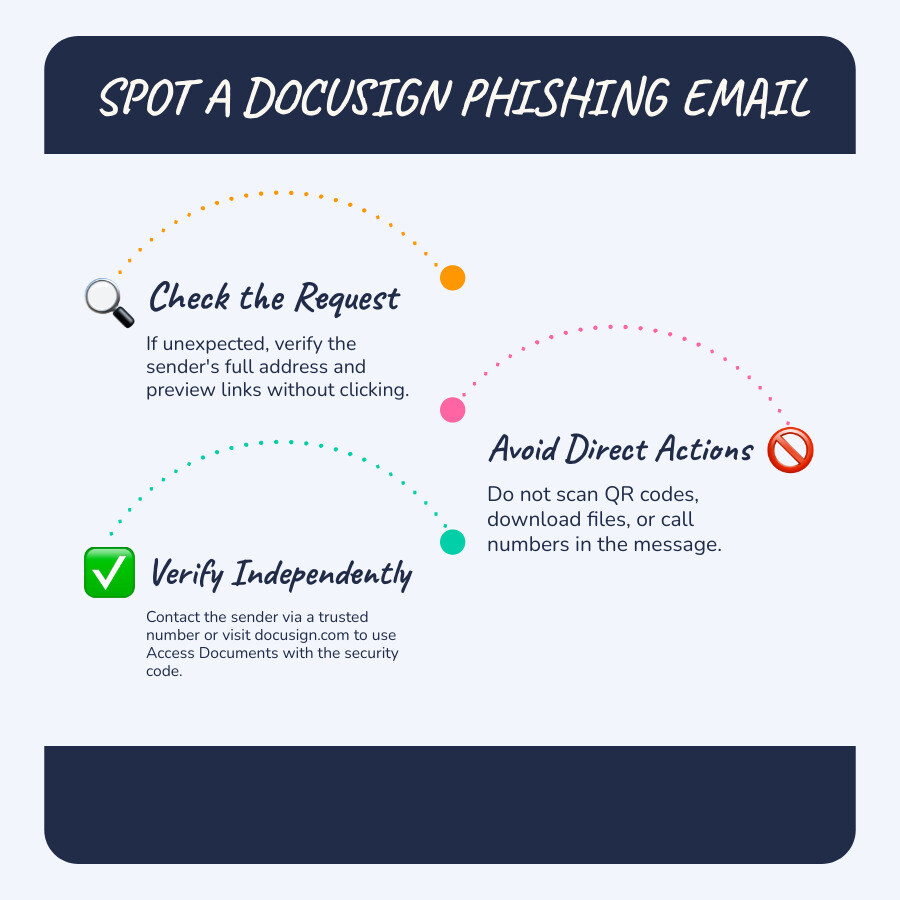
Docusign phishing email terms at a glance:
How to identify a DocuSign phishing email and verify its source
How does a DocuSign phishing email work?
Attackers rely on the trust people place in e-signature requests. The goal is usually one of three things: stealing credentials, getting a device infected, or pushing a victim to pay or call a fake support line.
There are two main paths. In the first, the attacker spoofs or imitates DocuSign from outside, using look-alike domains and copied branding. In the second, the attacker uses a registered account on the real platform, or its API, so the notification genuinely comes from DocuSign servers. This delivery method can bypass email filters and makes the sender address alone unreliable. DocuSign’s own alerts also describe hybrid campaigns that pair the platform with an external forwarding service to reach large recipient lists.
This is why SPF, DKIM, and DMARC help less than many teams expect. They protect your own domain from being spoofed, but they do not stop abuse of a legitimate third-party sending service. Organizations also cannot simply block DocuSign, because they use it for real business. One community thread from an affected business describes exactly this dilemma: phishing arriving from genuine DocuSign servers that could not be blocked outright.
Red flags in a DocuSign phishing email
No single sign settles the question, so look at the combination:
- Unexpected request. You were not waiting for a document, or you do not know the sender.
- Sender address. Official notifications come from @docusign.com or @docusign.net. Watch for look-alikes such as docusin.com or docu-sign.com, and for free mail domains like outlook.com.
- Mismatched links. Hover over links. Genuine ones lead to docusign.com, docusign.net, or regional hosts such as na4.docusign.net.
- QR codes. You cannot preview a QR destination, which is why “quishing” works. DocuSign does not need them for a normal signing request.
- Suspicious attachments. DocuSign does not allow external or incomplete attachments. Treat .zip, HTML, or executable files as a warning.
- Blurred previews. DocuSign will never ask you to download software or an “unblur” tool to view a document. See the fraud alert on blurred-document phishing.
- Fake support numbers. Many campaigns want you to call, not click.
- Urgency, generic greetings, and errors. “Dear Customer,” tight deadlines, and awkward wording are common. Some misspellings are deliberate to slip past filters.

| Check | Legitimate signing request | Suspicious email |
|---|---|---|
| Expectation | Matches a document you were awaiting | Unexpected invoice, payment, or activation |
| Sender | @docusign.com or @docusign.net, with a name you recognize | Look-alike or free mail domain |
| Links | Lead to docusign.com or docusign.net | Lead to unrelated or shortened addresses |
| Attachments | None, or a completed PDF | Zip, HTML, or executable files |
| Access | Security code under Alternate Signing Method | Pop-ups, download prompts, QR codes |
| Tone | Personalized, calm | Urgent, generic, or threatening |
Common scams and safe ways to verify a DocuSign email
Recent DocuSign alerts and other sources describe several recurring themes:
- Fake invoices and order confirmations, with subject lines about completed purchases or refund holds, asking you to call a number.
- Account activation and billing alerts. The account activation and billing fraud alert explains that the aim is often a phone call to a fraudulent support line.
- Remittance advice and payment notices, sometimes with a QR code leading to a credential-harvesting page.
- Employment forms and refund scams that collect Social Security or banking details.
- Fake support messages about software purchases, often sent from outlook.com addresses.
To verify safely, avoid the email’s own links. Open docusign.com in your browser, choose Access Documents, and enter the security code found at the bottom of genuine envelope emails. Confirm the request with the sender by phone or another channel you already trust. For unexpected invoices, go to the vendor directly.
You can also forward the message as an attachment to verify@docusign.com. According to DocuSign’s announcement of its verification service, you receive an automatic acknowledgment and a follow-up in two hours or less. For broader habits, the Email Security Survival Guide covers the basics.
What to do with a suspicious DocuSign email, and how to reduce future risk
What to do when you receive or need to report a suspicious email
- Do not click links, scan QR codes, open attachments, or call numbers in the message.
- Verify independently through Access Documents or a trusted contact.
- Forward the full message as an attachment to verify@docusign.com. DocuSign’s incident reporting guidance advises deleting the original afterward.
- For a suspicious on-platform envelope, use the Report Abuse feature or the “Report this email” link in the footer.
- Use the report phishing option in your email provider.
- At work, tell your IT or security team so they can check whether others received it.
- If fraud or identity theft occurred, file a report at reportfraud.ftc.gov. The Federal Trade Commission received fraud reports from more than 2.8 million consumers in 2021, so you are not alone in reporting.
DocuSign also publishes safety alerts with an RSS feed, which security teams can follow for new campaigns.
What to do if you clicked, downloaded a file, or shared information
Speed matters more than blame. Reasonable steps include:
- Disconnect the device from the network if you downloaded a file or entered credentials, and notify IT right away on a work device.
- Run a full malware scan, or let your security team do so.
- Change passwords for the affected account, your email, DocuSign, and any account that reuses the password. Use a different, clean device if you suspect malware.
- Turn on multifactor authentication and ask IT to revoke active sessions and tokens.
- If you shared banking or card details, contact your bank. Consider credit monitoring or a credit freeze.
- Preserve evidence: keep the original email, headers, and screenshots for responders.
- Treat it as an incident, with IT or your response provider scoping what was accessed.
Business safeguards and a practical next step
Individual vigilance helps, but organizations need layers, because a message from a real DocuSign account can pass basic checks. Practical measures include:
- Short, regular employee training that uses current examples, plus a simple one-step way to report.
- Email filtering and attachment controls. A guide to comparing email gateway options outlines what to weigh.
- Strong account security: multifactor authentication and tighter access for finance and HR teams.
- Payment verification: confirm invoice or bank detail changes by phone using known numbers.
- SPF, DKIM, and DMARC for your own domain, understanding their limits against trusted-service abuse.
- Threat detection that correlates signals across email, identity, and endpoints, so a click is caught and contained quickly. An overview of cybersecurity risks and controls can help you prioritize.
A practical next step is to review how signing requests are handled in finance and HR workflows, where payment and identity details are most often involved. Consider whether verification steps, reporting paths, and recovery procedures are documented and tested before a request arrives, rather than relying on any single check or tool.